|
Pictures Album of Ireland
Demostrate the use of:
|
|
Start scratch and delete the cat. This creates an empty project. Save the project under your name. | |
|
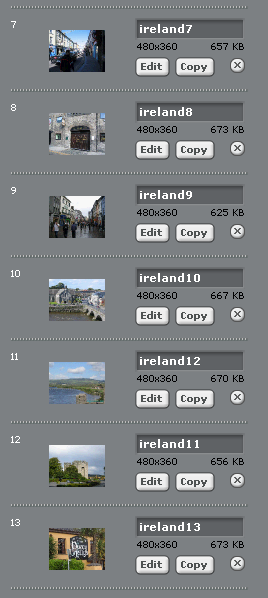
Select "stage" and import your pictures. Delete the blank stage. |
For example: 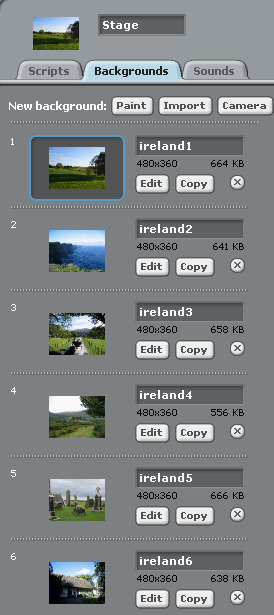
|
|
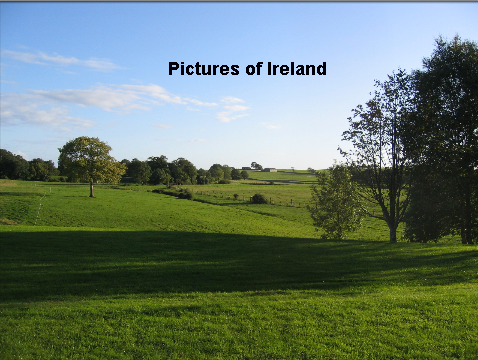
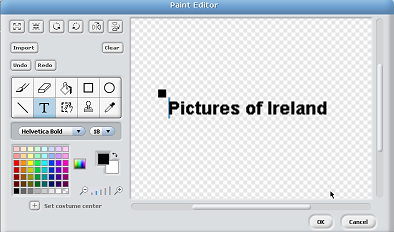
Create a sprite called "start" that says "Pictures of Ireland".
Try different fonts and font sizes. |
|
Create an "end" sprite that says "The End".
See the "start" sprite on how do do this. | |
|
Create a "castle" sprite that says "Bunratty Castle".
See the "start" sprite on how do do this. Try different fonts and font sizes. | |
|
Create a "cow" sprite.
Import it from the existing animals. Resize it to fit the picture. | |
|
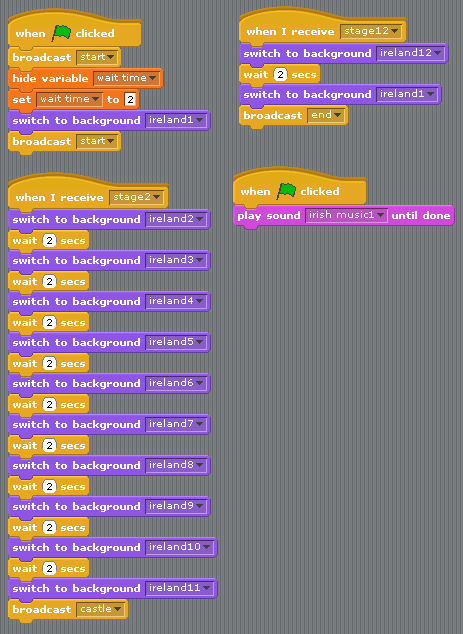
Add this script to the stage.
Notice the design of the main script(s). I change the stage background, pause for a few sconds, and then do it again over and over. The main script is the script that controls what the project does. It is broken into several parts to allow sprites to run animation scripts while it waits. When the sprite animations are done it start up again. When I want to do an animation on top of a stage background, I broadcast a message and the main script stops running. Sprites that are waiting for the message run their animation scripts. When they are done, they broadcast another message that causes the main script to start up where it stopped. For example, when the main script changes the background to "ireland11" it broadcasts the message "castle" and stops. When the castle sprite's animation is finished it broadcasts the message "ireland12" which causes the main script to start up again. |
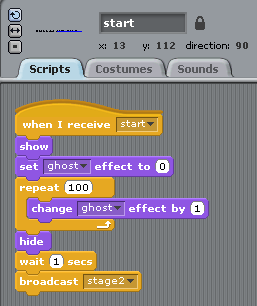
| Add this script to the "start" sprite. |
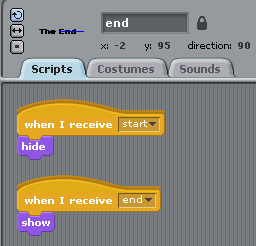
| Add this script to the "end" sprite. |
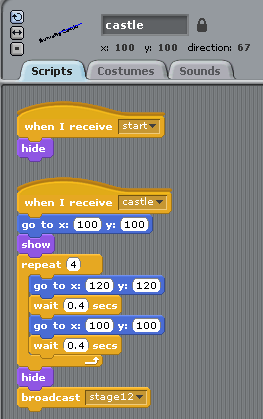
| Add this script to the "castle" sprite. |
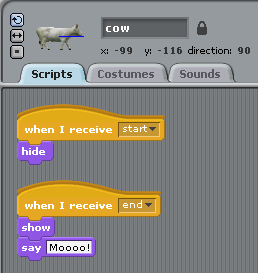
| Add this script to the "cow" sprite. |
|
Add music to the project.
Use one if the existing sounds/musics loops Ask the instruuctor how. |