Use graphics.py for this project.
Click HERE
 for more information.
(download, install, documentation, ...)
for more information.
(download, install, documentation, ...)
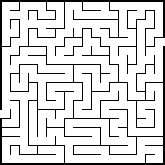
Image From: commons.wikimedia.org
Project #1
Recreate the maze generator in the YouTube links below in Python. (The original code is JavaScript and the p5.js graphics library.)
Design Suggestion:
Creating a Grid of Cells
Coding Challenge 10: Maze Generator
Visiting Neighboring Cells
Coding Challenge 10: Maze Generator (Part II)
Removing Walls
Coding Challenge 10: Maze Generator (Part III)
Backtracking
Coding Challenge 10: Maze Generator (Part IV)
Click
HERE
for the code in the YouTube videos
and other information.
Project #2
There is a difference between the older Wikipedia article "Maze generation algorithm" seen in the YouTube videos and the current (as of December 2025) Wikipedia article "Maze generation algorithm". Even though the two algorithms are basically the same, I think the newer algorithm is clearer/simpler/better-structured.
Create a maze generator in Python using the newer algorithm. (See the requirements/suggestions in Project #1.)
For more information about the newer algorithm
click
HERE
.
Please note, the original YouTube code has some good ideas about implementing a maze generator. Take a look at the code and watch the videos.
Project #3
Use the algorithm in Project #2 to create a maze generator that uses hexagonal cells (grid of hexagonal cells).
Modify as needed for hexagonal cells.
FYI: Hexagonal Grids
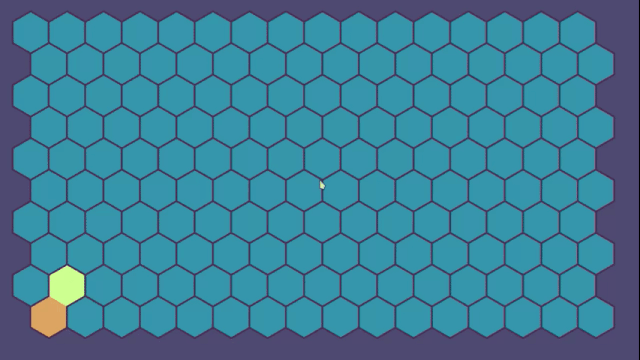
Image From: commons.wikimedia.org
Project #4
Create the maze generator in Project #2. Define areas (cells) in the original graphics window that the generator can not use for the maze. Build a maze around them. Try various shapes, etc.
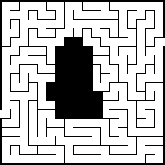
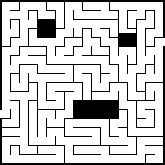
Modified Image From: commons.wikimedia.org
(Just to show what areas might look like.)
Design Suggestion:
Links
Maze Generation Algorithm (Wikipedia)
Maze Generation Algorithms (YouTube)Information About Maze Generation/Algorithms
How to Generate Completable Mazes In P5.JS (YouTube)
JavaScript (Wikipedia)
p5js.org (JavaScript graphics library)
Project #X
A different maze generator. Click
HERE
.
Stack